Everything RateGather Automates for Your Business — In One Dashboard
Google Business Profile posts, blog articles, review collection and replies, website widgets, and daily rank tracking — all run by software, on a schedule you set. Here's exactly what each one does, and what's in Free vs. Autopilot.
Jump to a section
What's Inside
Six things RateGather runs for you every day. Click any one to jump straight to it.
01 — Google Business Profile
AI writes and publishes your Google posts, on your schedule
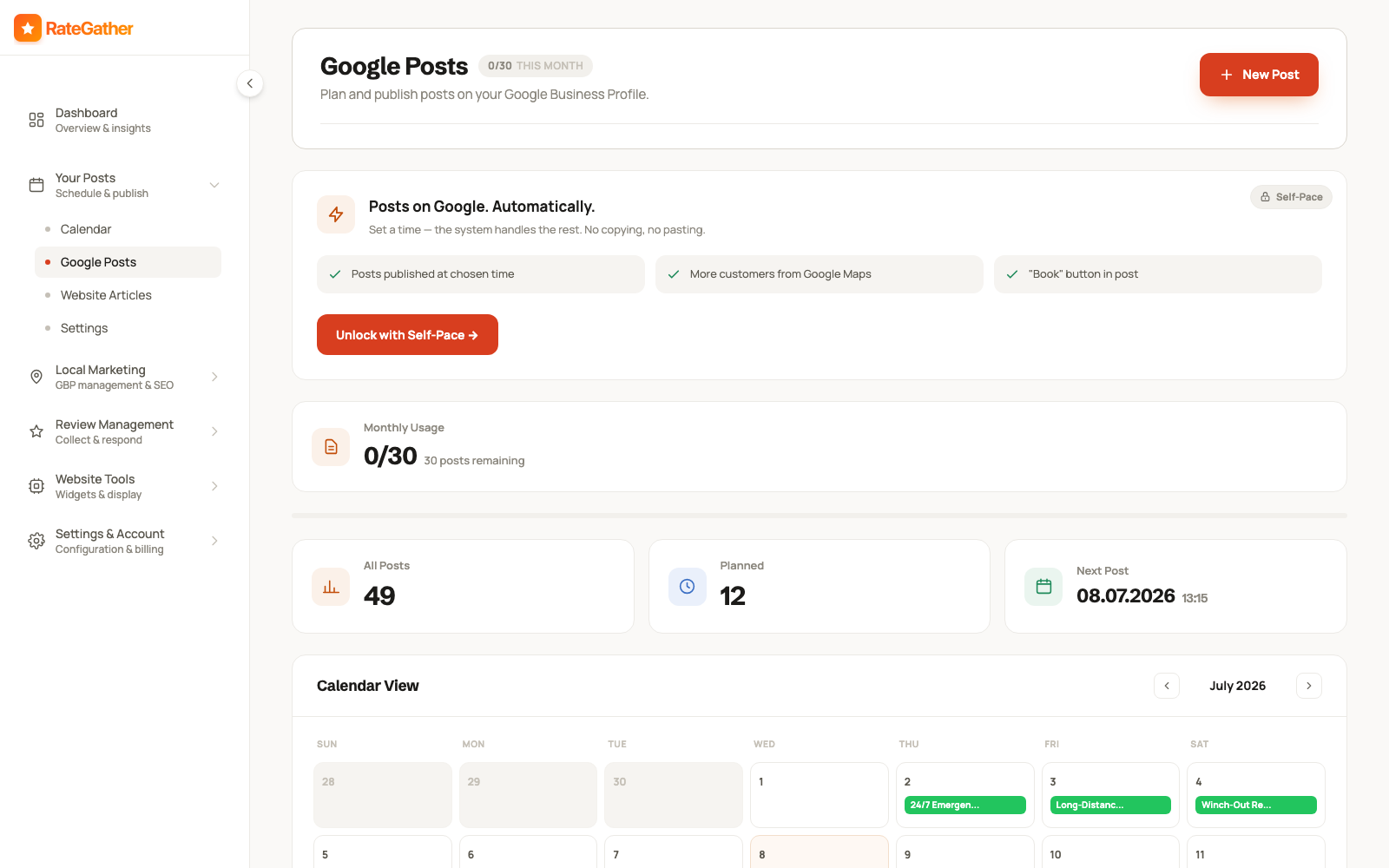
RateGather drafts posts about your services, offers, and behind-the-scenes moments, then publishes them straight to your Google Business Profile — the same "Updates" feed customers see when they search for you on Maps or Search. You don't write the post, size an image, or remember to log in; the schedule you set runs on its own.
Pick how often you want to post, choose whether each one auto-publishes or waits for your approval, and the Google Posts screen shows exactly what's queued, what's already live, and how much of your monthly allowance is left.
Free: 1 AI-written Google post a month. Autopilot: 30 a month, auto-published.
02 — Content Calendar
One calendar for every Google post and every article
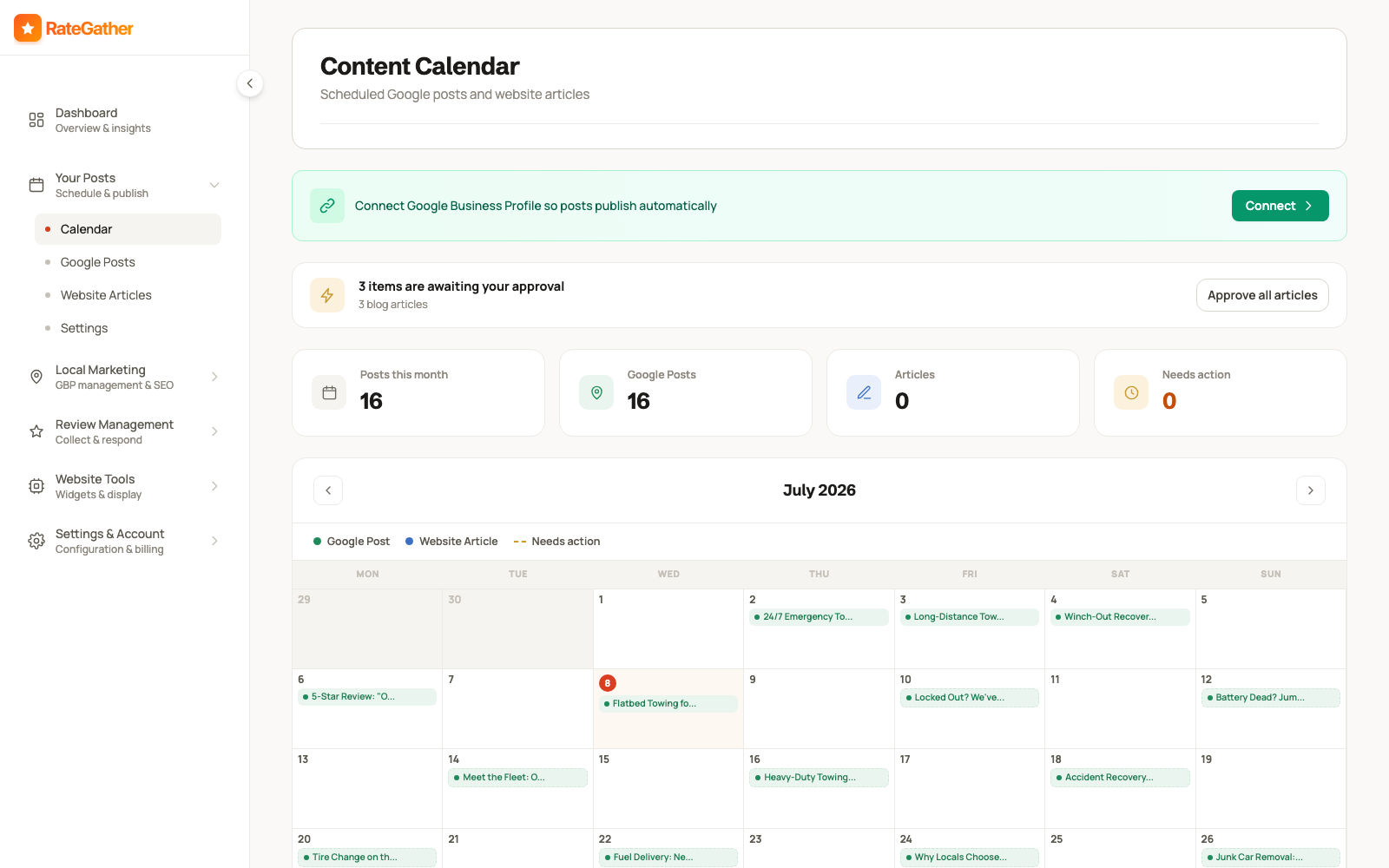
The Calendar lines up everything RateGather is scheduled to publish — Google Business Profile posts and website articles — on a single monthly grid, color-coded by type. It's the same calendar on Free or Autopilot; what changes between plans is how much you're allowed to schedule (see the sections on either side of this one).
Anything waiting on your sign-off shows up as a pending item — "3 items awaiting your approval" style — so you can review AI-generated posts and articles in one place before they go live, or switch to auto-publish and let the calendar fill itself in. Connecting your Google Business Profile is what turns the calendar from a planning view into an auto-publishing one.
Included on both plans — the calendar itself has no separate limit; it fills up according to your plan's Google posts and blog article allowances.
03 — Long-Form SEO Content
Full-length articles, written and published without you
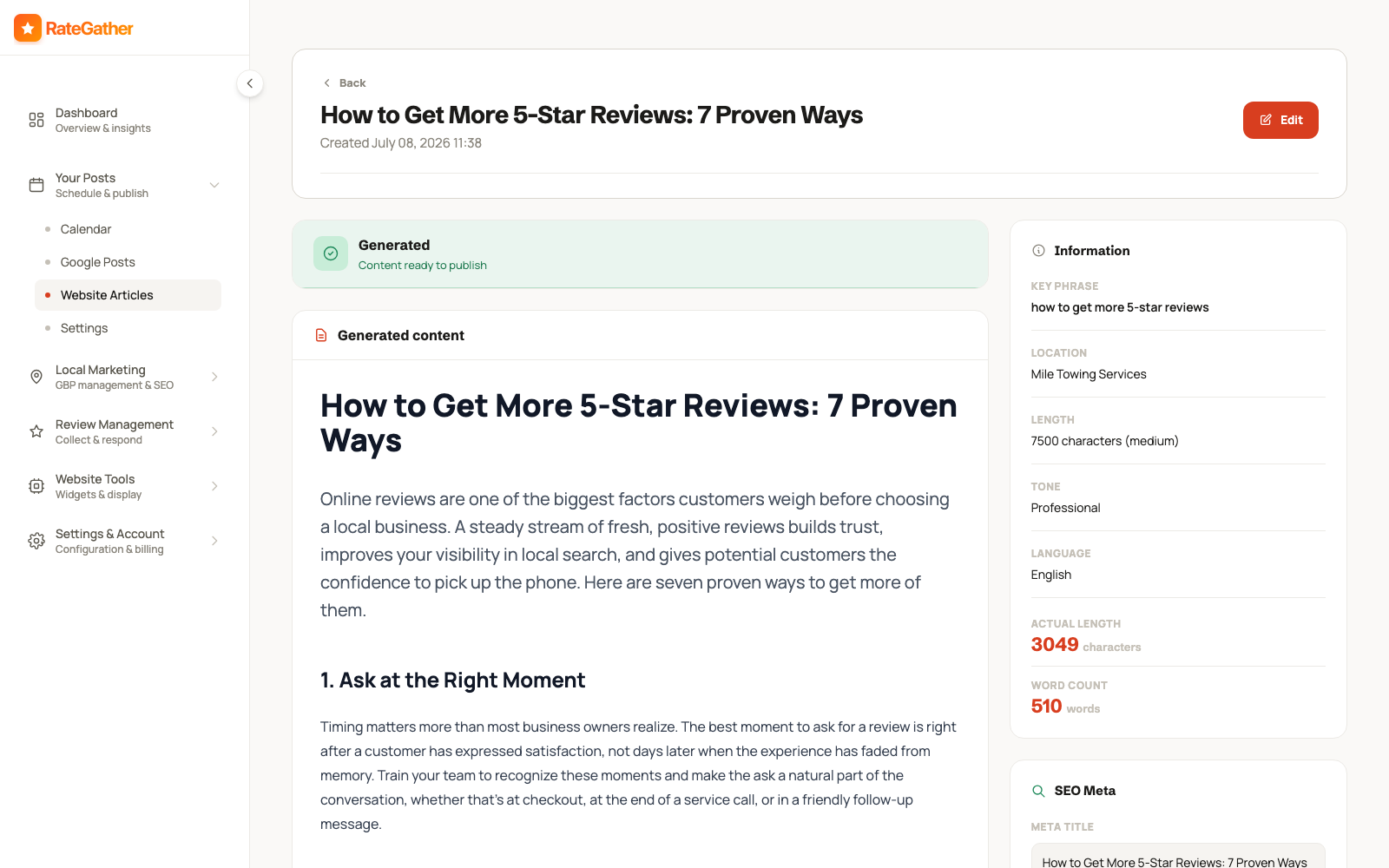
RateGather writes complete, SEO-structured blog articles about what your customers actually search for, then publishes them to your website. Each one comes with its own SEO meta — a target key phrase, meta title, and description — generated alongside the content, not bolted on afterward.
You can set the tone (professional, friendly, expert, casual), pick the topic yourself, or let RateGather suggest one for your industry and location. Articles can auto-publish on schedule, or sit as a draft marked "Content ready to publish" until you review it from the Website Articles screen.
Free: 1 blog article draft a month. Autopilot: 6 a month, published straight to WordPress.
04 — Review Management
Ask for reviews, reply to every one, from a single inbox
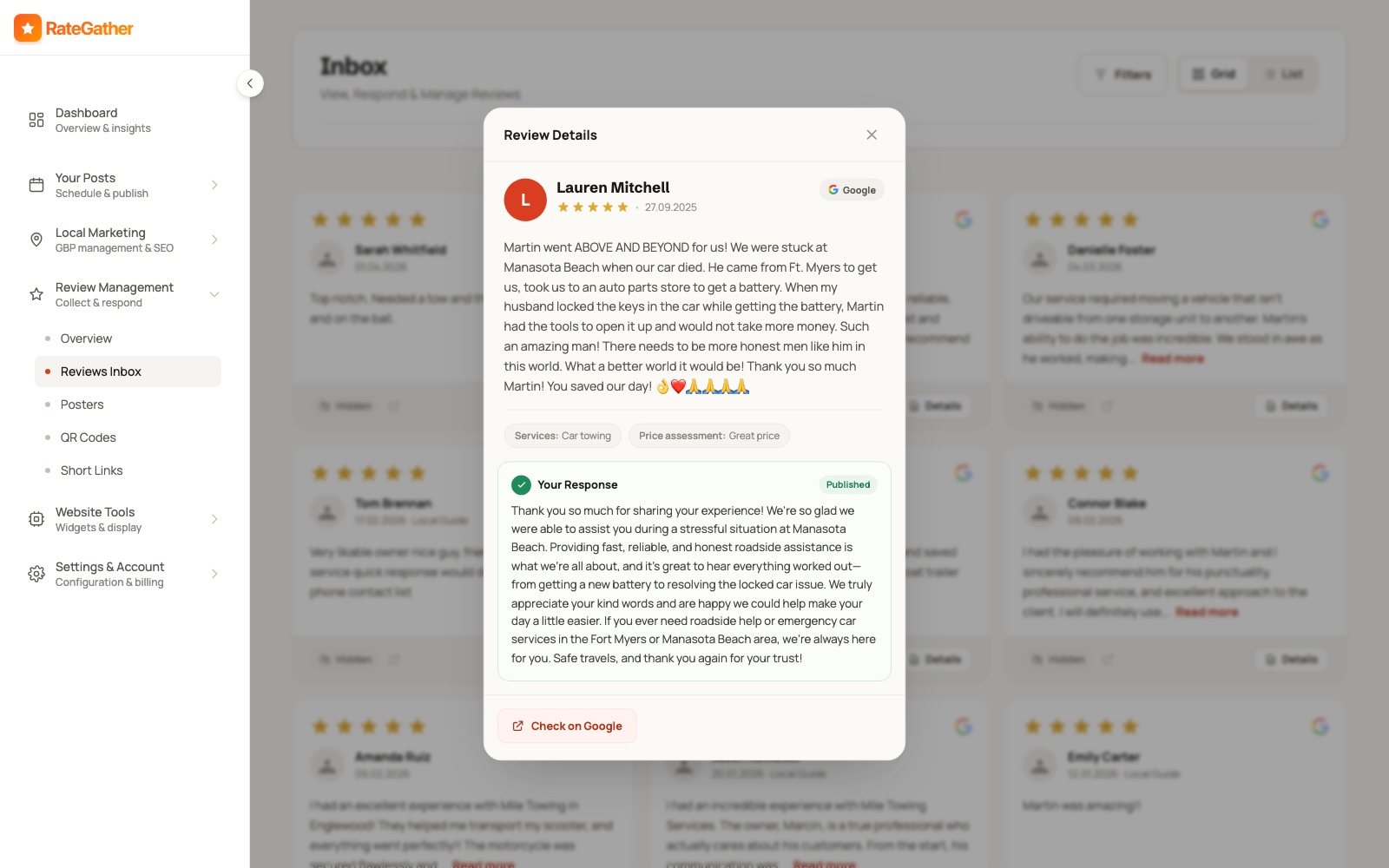
Review Management covers both directions: getting new Google reviews, and responding to the ones you already have. To ask for reviews, RateGather gives you printable posters, QR codes customers can scan on the spot, short links you can text or email, and email templates — all pointing straight at your Google review form.
Every new review lands in the Reviews Inbox, where RateGather drafts a personal, on-brand reply the moment it comes in — positive, negative, or three-star. Auto-publish replies, or approve each one before it goes live; replies are written to match the tone of your previous ones.
AI review replies are included on both plans. Review collection tools scale with your plan: Free includes 1 QR code, 1 short link, and 1 email template; Autopilot removes those caps entirely, adds printable posters, and checks for new reviews daily.
05 — Website Tools
Your reviews and video testimonials, live on your own site
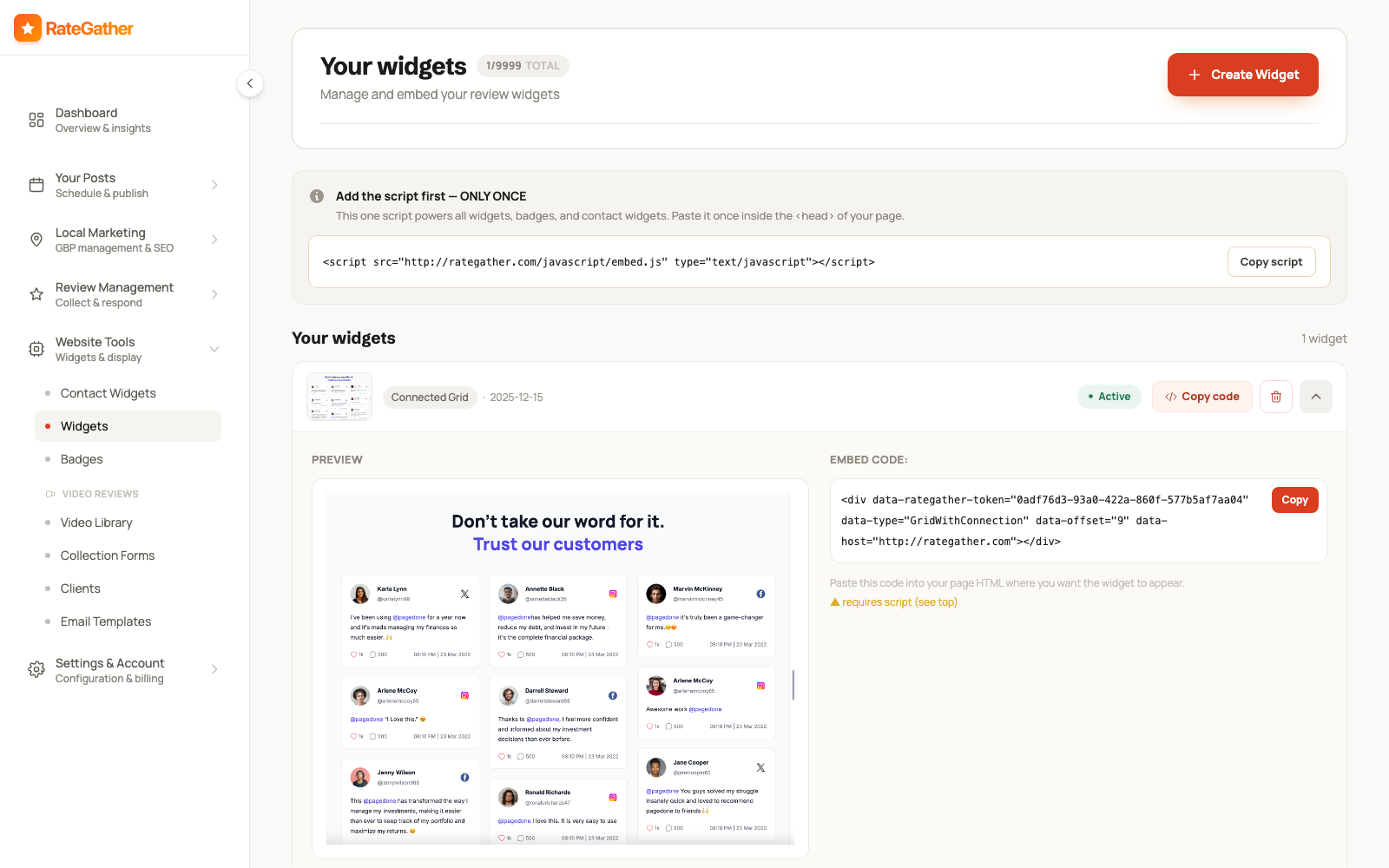
Website Tools turns your Google reviews into on-site proof. Paste one script into your site once, then drop in as many review widgets, star badges, or contact widgets as you like — each is a small embed snippet that works on WordPress, Wix, Squarespace, or plain HTML. New reviews appear automatically; there's nothing to re-embed when a 5-star review comes in.
The same section handles video testimonials: send a customer a collection form, they record on their phone, and the video lands in your Video Library ready to embed. Contact widgets add a floating tap-to-call or tap-to-message button so site visitors can reach you without hunting for a phone number.
Free: 1 review widget, 1 contact widget, 1 video collection form (each with RateGather branding), 5 stored video testimonials. Autopilot: unlimited widgets and video testimonials, no branding.
06 — SEO & Analytics
See exactly where you rank, who's beating you, and what to fix
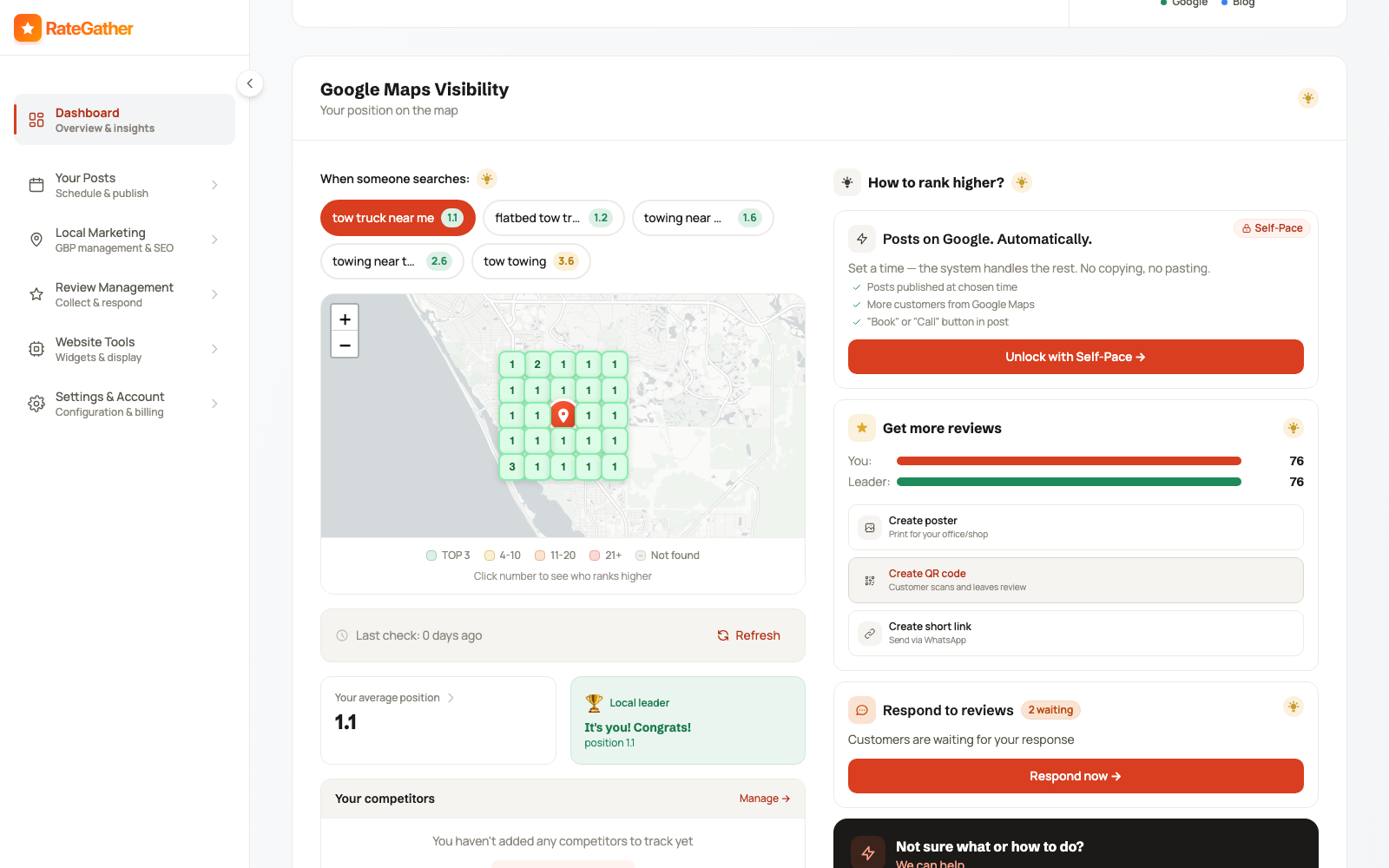
The dashboard tracks your position on Google Maps for the search phrases that matter to you — not one average number, but a real geo-grid, since ranking #1 next door and #14 across town can both be true for the same business. Trigger a check-in any time, and click a grid cell to see who's outranking you at that specific point.
Add competitors and the same grid tracks their positions too, so you can see who's actually winning the searches that matter. Alongside rank tracking, HealthScore audits your Google Business Profile itself — hours, photos, categories, services, and more — scoring it out of 100 and ranking the handful of fixes that move it the most.
Free: 2 rank checks and 1 HealthScore audit a month, no competitor tracking. Autopilot: 30 rank checks and 10 HealthScore audits a month, plus tracking for up to 5 competitor businesses.
HealthScore runs alongside the rank grid above — its own gauge, updated on your plan's schedule.
Two plans, no contracts
Every Feature Above, Two Ways to Get It
Free covers the basics with no card required. Autopilot removes the limits. No contracts either way — cancel anytime.
Free
$0/mo
2 Google posts · 1 blog article · 2 rank checks · branded widgets
Autopilot
$79/mo
or $63/mo billed yearly
30 Google posts · 6 blog articles · 30 rank checks · 5 competitors · unlimited, unbranded widgets
See the full feature-by-feature comparison on the pricing page →
Straight answers
Frequently asked questions
Most of them do. Google Business Profile posts, the reviews inbox and AI replies, QR codes/short links/posters for collecting reviews, rank tracking, competitor monitoring, and HealthScore all run against your Google Business Profile directly — no website required. Blog articles publish to a website (WordPress), and review or contact widgets need a website to embed the script on.
Anything that touches your Google listing: Google posts, the reviews inbox and AI replies, rank tracking, competitor monitoring, and HealthScore. Connecting it is one click through Google's official OAuth and takes under 60 seconds — see how the process works.
1 AI-written Google post and 1 AI blog article draft a month, 1 local rank check, 5 AI review replies, up to 5 clients, 5 stored video testimonials, 1 QR code + 1 short link, and 1 each of review widget, contact widget, and video collection form (all with RateGather branding) — free forever, no credit card required.
It removes almost every limit: 30 Google posts a month (auto-published), 6 blog articles a month to WordPress, 30 rank checks, 5 tracked competitors, daily review checks, unlimited un-branded widgets and video testimonials, unlimited QR codes/short links/email templates, printable posters, and priority support — for $79/mo ($63/mo billed yearly).
Yes. Switch to a higher or lower plan anytime — upgrades are billed proportionally, downgrades take effect from the next billing period — and cancel anytime, no minimum term. See full pricing.
No. The Free plan needs no credit card and no commitment. Add one only if and when you decide to upgrade to Autopilot.
Start free and see what the AI writes for your business.
No credit card required. Upgrade to Autopilot whenever you're ready to remove the limits.
Free forever on the Free plan · cancel Autopilot anytime, no contract.