16 Ways to Get More Google Reviews (Free Link, QR Code & Email Templates Included)
The fastest way to more reviews is removing every excuse not to leave one — starting with a link that skips straight to the review box.
Get your free review linkNo signup. No third-party link shorteners or QR generators — one free tool, built for this.
Start here
Before You Ask: Get Your Direct Review Link
Most people don't leave a review because it takes too many steps — open Google, search your business name, find the right listing, scroll to "Write a review." A direct review link skips straight to the last step.
A direct review link is built from your Google Business Profile's unique place ID, so it opens the review box for your exact listing instead of a search results page a customer has to sort through. RateGather's free tool searches the live Google Business Profile directory for your listing, builds the link, and generates a scannable QR code of it — all in the browser, no account required.
Generate your review link and QR code, free
No signup. Type your business name and city, pick your listing, and get a direct link plus a QR code you can text, email, or print — in under a minute.
The list
16 Ways to Get More Google Reviews
Grouped into four stages: get the basics right, ask at the right moment, make it consistent, and handle what happens after a review lands.
Foundations (Ways 1–3)
Claim and verify your Google Business Profile
You can't collect reviews on a listing you don't control. If you haven't already, claim and verify your Google Business Profile — it's the account every tactic below runs through, and verification is usually a postcard, phone call, or email confirmation away. Check your categories and hours while you're in there; an unverified or half-filled-out profile makes everything downstream on this list slower. See Google Business Profile optimization for the full setup walkthrough.
Know Google's actual rules before you ask
Asking a customer for a review is explicitly fine under Google's own policy — it's the entire premise of this page. Offering money, discounts, or gifts for one isn't, and neither is only asking customers you already know were happy while quietly routing unhappy ones elsewhere. Getting this straight before you build a habit around it matters more than any individual tactic below. See What Not to Do for the full breakdown before you start.
Get your review link and QR code
A direct review link and a QR code of it are what make every tactic on this list fast to execute instead of a chore. Without one, "ask for a review" means telling a customer to open Google, search your business name, find the right listing among any near-duplicates, and scroll to "Write a review" — several steps most people abandon partway through. Generate both free, with no signup, using the tool above — jump back to Get Your Direct Review Link if you skipped it.
Ask at the Right Moment (Ways 4–9)
Text the link right after the job
The moment right after you finish a job, deliver a service, or close a sale is when a customer's satisfaction is freshest — and a phone is usually in their hand. A short text with your direct review link takes ten seconds to send and skips every step between "yes" and the review box. "Thanks for choosing us today — if you have a minute, we'd appreciate a review: [link]" is enough; it doesn't need to be clever.
Follow up by email with a saved template
Not every ask lands by text — a follow-up email works well for appointment-based and B2B businesses especially, where the invoice or confirmation email is already a natural touchpoint to add one more line to. Save one email template with your review link inside it so you're never writing the ask from scratch. The Free plan includes one RateGather-branded email template; Autopilot includes unlimited, so you can tailor the wording by job type or service line.
Put a QR code on receipts and invoices
A QR code printed on a receipt or invoice reaches every customer who walks out the door, not just the ones you remember to text — it works even for cash transactions with no phone number or email on file. Point it at the same direct link the generator builds, so scanning it drops straight into the review box instead of a generic Google search a customer has to sort through.
Ask in person, right after a good interaction
A tool can send a link; it can't replace someone saying "if you have a minute, we'd really appreciate a Google review" right after a good experience. Pair the verbal ask with the QR code or short link so the customer has something to act on immediately, not a vague promise to do it "when I get home" that rarely happens.
Add a review CTA to your website
A visible prompt on your own site — a button or embedded widget pointing at your review link — catches customers who are already there and already satisfied, browsing your services or checking your hours after a good experience. RateGather's review widgets embed with one script tag and work on WordPress, Wix, Squarespace, or plain HTML, so this isn't a developer task.
Include the ask in your email signature
Every outgoing email is a free impression, whether it's an invoice, a scheduling confirmation, or a plain reply to a question. A one-line "Enjoyed working with us? Leave us a review" with your link in your email signature asks without ever feeling like a separate request, and it keeps working on every email you send after you set it up once.
Make It Consistent (Ways 10–12)
Ask every customer, not just the happy ones
This is the honest version of "systemize the ask": send the same request to everyone, regardless of how the job went, and let the review land where it lands. Routing only your best customers to the review link — while steering unhappy ones to a private email instead — is exactly what Google's policy calls review gating, and it's against the rules. It's also the more useful habit anyway: an occasional honest three-star review reads as more credible to future customers than a suspiciously perfect record — use the Google reviews calculator to see exactly how many 5-star reviews it takes to move your average without chasing an unrealistic 5.0. See What Not to Do.
Use a saved template instead of writing it from scratch
A consistent, saved template — the same wording for texts, the same one for email — removes the friction of composing a new ask every time, which is usually the real reason the ask quietly stops happening after the first few weeks. It also makes it easy to hand the habit off to a front-desk employee or technician, since they're not being asked to improvise a pitch.
Print posters for the counter or waiting room
A QR code on a printed poster at the counter, front desk, or waiting room catches customers who never get a text or email at all — walk-ins, cash customers, or anyone who pays and leaves before you've captured contact details. Ready-to-print posters are included on RateGather's Autopilot plan; the Free plan doesn't include posters, so this one's Autopilot-only if you want it designed and ready to go — you can always design and print your own using the free QR code either way.
After the Review Lands (Ways 13–16)
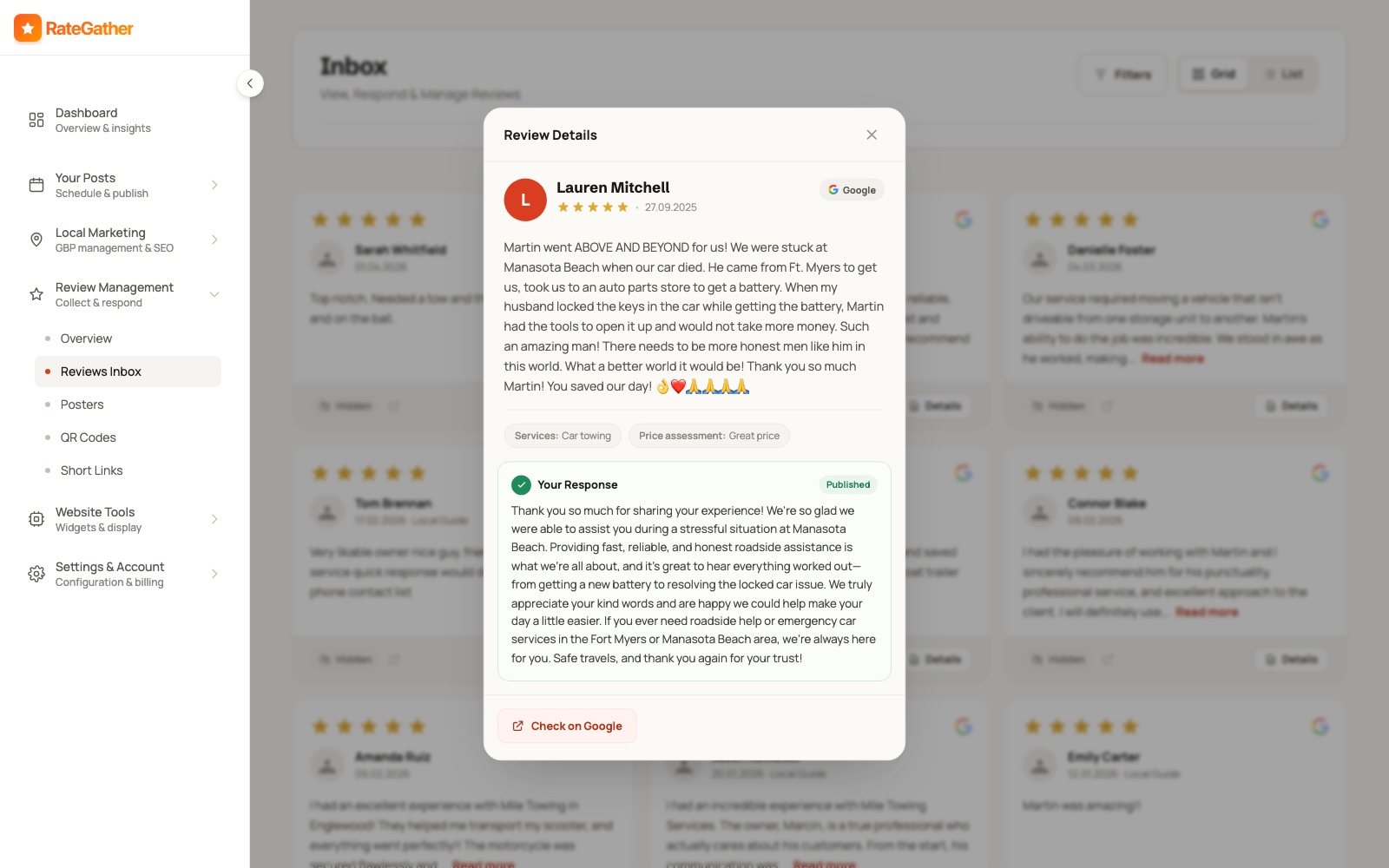
Reply to every review, fast
A reply signals you're paying attention — to the customer who left it, and to everyone reading it afterward before they decide whether to book you. RateGather drafts an on-brand reply the moment a new review comes in, positive, negative, or three-star, matched to the tone of your previous replies; auto-publish it or approve each one first. Included on both the Free and Autopilot plans, so replying fast isn't something you have to upgrade for.
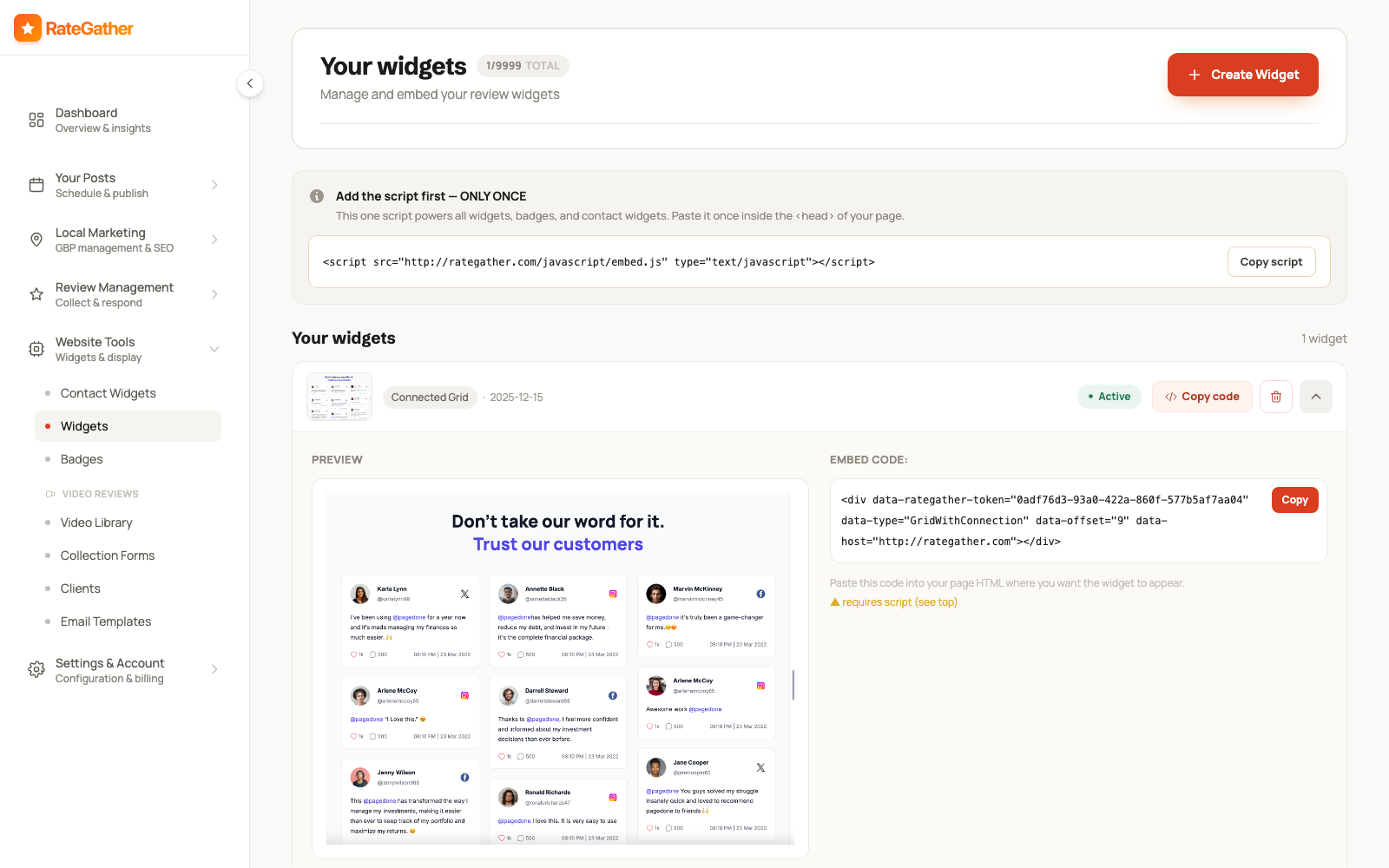
Showcase reviews on your site with a widget
Reviews that only live on your Google Business Profile only work when someone's already looking at it. A widget on your own site puts them in front of every visitor, and new reviews appear on it automatically — no re-embedding required whenever a new one comes in. One script tag, then 1 branded widget on Free or unlimited unbranded widgets on Autopilot, and it works on WordPress, Wix, Squarespace, or plain HTML.
Check where you actually rank
Reviews are one of the signals Google weighs for map-pack visibility, but they're not the only one — categories, proximity, and profile completeness all factor in too, and more reviews won't help if customers aren't finding your listing to begin with. Run a free check with RateGather's Local Rank Checker before you assume review count is the whole story.
Revisit and refresh your ask channels every few months
Templates go stale, QR codes get thrown out with the old receipt stack, and the poster from your grand opening is faded and curling by month six. Revisit your review link every few months — same tool, same link if your listing hasn't changed — and make sure every channel on this list, from the email signature to the countertop sign, is still actually pointing customers at it.
Stay on the right side of the rules
What NOT to Do
Everything above works within Google's rules. These three don't — and using them risks your reviews being removed, or your profile being suspended. Straight from Google's own review policy.
Don't pay for reviews.
Offering money, discounts, free products, or gift cards in exchange for a review is explicitly against Google's policy, whether the review ends up positive or not.
Don't gate who you ask.
Sending the review link only to customers you already know were happy — or routing unhappy customers to a private email instead of the public review form — is called review gating. It's against the rules too. Ask everyone, every time.
Don't post or solicit fake reviews.
Reviews from people with no real experience of your business — including asking employees or family to post them — violate Google's policy and can get a profile suspended.
Doing this by hand vs. on autopilot
Want This Running Without You Having to Remember?
Everything on this list can be done by hand — that's the point of a free, no-signup tool.
RateGather automates the repetitive part of it: unlimited QR codes, short links, and email templates instead of one each, printable posters for the counter, daily checks for new reviews, and AI-drafted replies to whatever comes in — all on the Autopilot plan ($79/mo, or $63/mo billed yearly). Reply drafting is included on the Free plan too. See the full product picture on review management, or browse everything at features and pricing.
Straight answers
Frequently asked questions
No. Asking is explicitly fine under Google's own review policy — it's how nearly every business on Google Maps got its reviews.
No — Google explicitly prohibits incentivized reviews, whether the incentive is money, a discount, a gift card, or free products, and regardless of whether you ask for a positive review specifically.
No — that's called "review gating," and it's also against Google's policy. Ask everyone, every time, and let the review land where it lands.
It's a link built from your Google Business Profile's unique place ID that opens straight to the "write a review" box for your exact listing — skipping the "search for us on Google" step. Get yours free, no signup, with RateGather's review link generator.
There's no fixed number Google publishes. More recent, more frequent reviews are one signal Google weighs for map-pack visibility, but nobody can honestly promise a specific ranking outcome — treat review count as one input, not a guarantee.
A text or QR code sent the same visit, using your direct review link — not a generic "leave us a review sometime" ask that's easy to forget by the time the customer gets home. The link matters as much as the timing: sending someone to search for your business by name adds friction that a direct link skips entirely.
You can do all 16 of these manually with the free tool above — nothing on this page requires a paid account. RateGather automates the repetitive parts of it instead: unlimited links, QR codes, and email templates instead of one each, printable posters, daily review checks, and AI-drafted replies to whatever comes in — starting at $0/mo on the Free plan, or $79/mo ($63/mo billed yearly) on Autopilot.
Get your free Google review link.
No signup, no third-party tools — generate your direct link and QR code in under a minute.
Free plan available at $0/mo, no credit card required.