Local SEO for Plumbers: The Full Playbook for Getting Found on Google
Customers with a plumbing emergency call whoever shows up first. This is how you become that business — five steps, in order, no invented results.
Start free — no card requiredReal product screenshots, real free tools you can use on this page, and no fabricated case studies or stats.
Why it matters
Why Local SEO Matters More for Plumbers Than Almost Any Other Trade
Most local searches end in a decision within minutes, not days — and plumbing is one of the most time-pressured categories there is.
97% of customers find local businesses through search. For most trades that number plays out over days of comparison shopping. For plumbing, a huge share of that search volume is a burst pipe at 11pm, a water heater that quit on a Sunday, or a main line backing up right before guests arrive — moments where the customer isn't comparing five quotes, they're calling the first plumber who looks credible and available. If your Google Business Profile isn't in the top three results, in practice you don't exist for that search.
That urgency also means plumbing searches skew heavily mobile — someone standing next to a flooding cabinet is on their phone, not comparison-shopping on a desktop the next morning. National franchise chains know this and spend accordingly on visibility; independent plumbers compete on the same map pack with a fraction of the budget, which is exactly where local SEO — not paid ads — closes the gap, because profile completeness, reviews, and consistent activity are free to build and compound over time instead of stopping the moment you stop paying for clicks.
The searches themselves cluster around a predictable set of intents. Building visibility around these — not generic "plumbing services" language — is what the rest of this guide is built around:
There's a second shift stacked on top of the search one: more homeowners now ask an AI assistant "who's a good plumber in [city]?" instead of, or before, opening Google Maps. Those assistants lean on the same underlying signals — an active, well-reviewed, well-described profile and site — to decide who to recommend, which means the businesses that show up well in traditional local search are increasingly the same ones getting surfaced by AI. Every step below feeds both.
Step 1
Get Your Google Business Profile Right
Your Google Business Profile is what a customer sees before your website ever gets a click — for an emergency search, it's often the only thing they see. If you do one thing on this page, do this one.
A few mistakes show up disproportionately often on plumbing profiles specifically, and each one is a quiet way to lose emergency searches: a primary category of "Contractor" or "Home improvement" instead of "Plumber," which dilutes how strongly Google matches you to plumbing-specific queries; a service area left at its default radius instead of the towns you actually cover; and an "emergency service" attribute left unchecked even when you do take after-hours calls. Your business description and the Services section are also worth filling in with the exact jobs you take — drain cleaning, water heater repair, pipe repair, toilet repair — rather than one generic "full-service plumbing" line, since that's more of what both searchers and Google's matching have to work with.
The Q&A section is worth seeding yourself, too — post and answer the questions you already get asked on every call ("do you charge a dispatch fee?", "are you licensed and insured?", "can you come out tonight?"). Left empty, it invites a competitor or a random user to answer for you, sometimes incorrectly.
This is a summary, not the full walkthrough — categories, attributes, Q&A, and the posting cadence that keeps a profile looking active all have more depth than fits here. See Google Business Profile optimization for the complete, dedicated guide.
Step 2
Build Review Velocity, Not Just Review Count
A profile with 60 reviews from three years ago reads worse to both customers and Google than one with 25 reviews added steadily over the last few months. Velocity — a consistent trickle of new reviews — matters as much as the total.
The habit that actually works is simple and easy to get wrong in one specific way: ask every customer, not just the ones you're confident were happy. Routing only your best jobs to the review link — while quietly steering a frustrated customer to a private email instead — is called review gating, and it's explicitly against Google's own review policy. It's also worse for credibility: an occasional honest three-star review next to a string of five-stars reads as more real than a suspiciously perfect record.
For a plumber specifically, the moment right after the job — pipe fixed, water back on, invoice handed over — is the highest-conversion moment to ask, because relief is fresh and the customer's phone is usually already in their hand. A QR code on the invoice, or a text with a direct review link sent before you leave the driveway, converts far better than "we'll email you something later."
Get your direct review link and QR code, free
No signup. Search your business, get a link that opens straight to the review box, and a QR code you can print on invoices or hand out on the job — in under a minute.
Getting the review is half the habit — replying to it is the other half, and it matters more for plumbing than most trades because the job involves letting someone into a home, usually during a stressful moment. A fast, professional reply to a negative review (a dispute over a quote, a callback that took longer than expected) reads to every future customer scanning your profile as "this business takes ownership," even when the review itself is unflattering. Silence on a bad review reads worse than the review did.
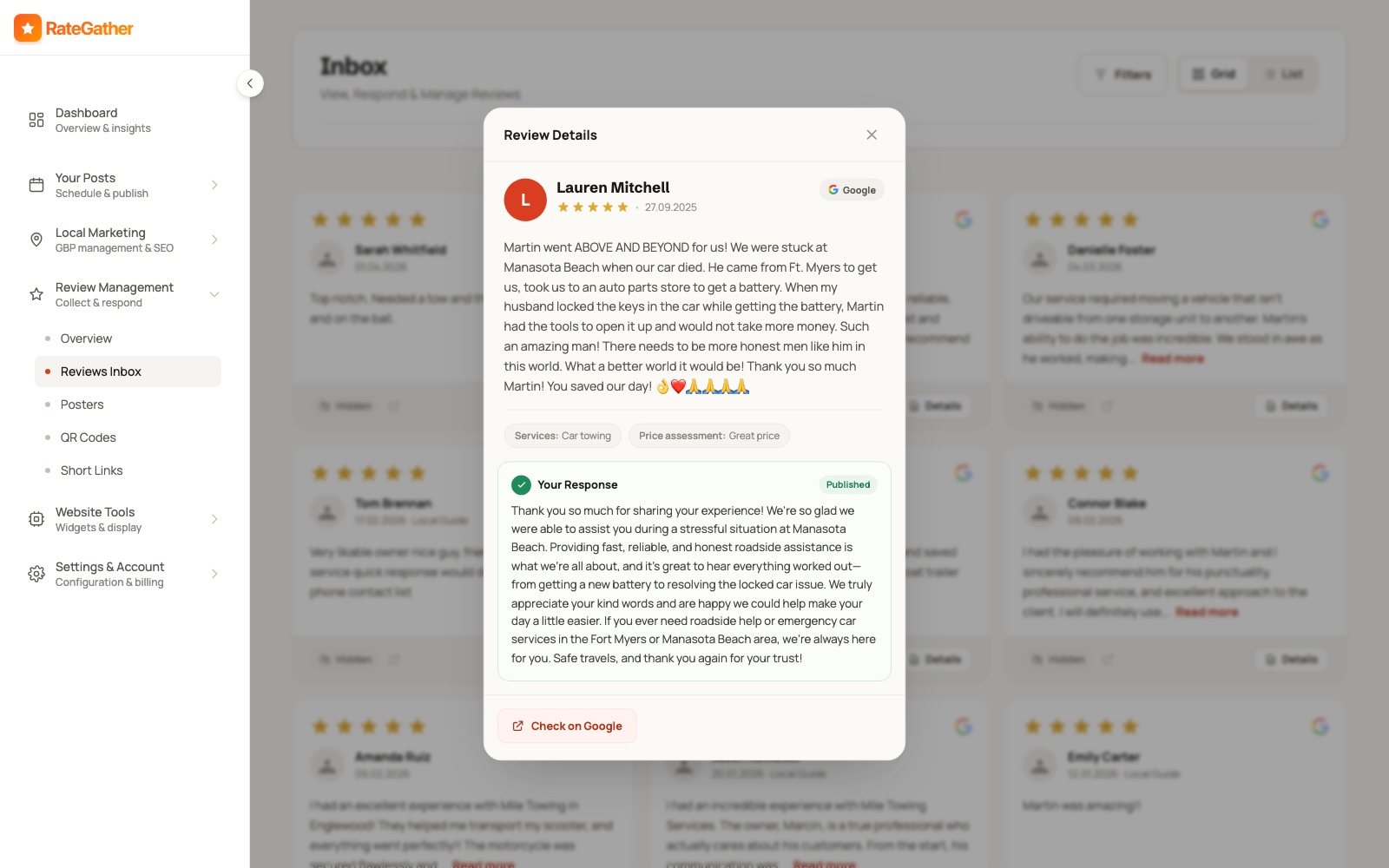
RateGather drafts an on-brand reply the moment a new review comes in — positive, negative, or three-star — matched to the tone of your previous replies; you approve each one or let it auto-publish. It generates unlimited review links, QR codes, and email templates on the Autopilot plan (one of each on Free), and this section only covers the ask itself — 16 ways to get more Google reviews is the full tactical playbook, including timing, wording, and exactly what not to do to stay inside Google's policy. The pattern holds across the trade: plumbers with 40+ reviews get significantly more calls than ones with a handful — treat that as a milestone to build toward with steady asks, not a number to chase with a one-time push.
Step 3
Track Where You Actually Rank
A single 'are we #1' check hides more than it shows. Map-pack ranking varies by exact location — a business can rank #1 two blocks from its shop and #9 a mile away, in the same city, for the same search.
That's what a grid rank tracker is for: instead of one search from one point, it checks your ranking position from dozens of points spread across your actual service area and plots them on a real map, so you can see exactly where you're strong and where a competitor is beating you — not just a single number that might be true from your office and false from the next neighborhood over.
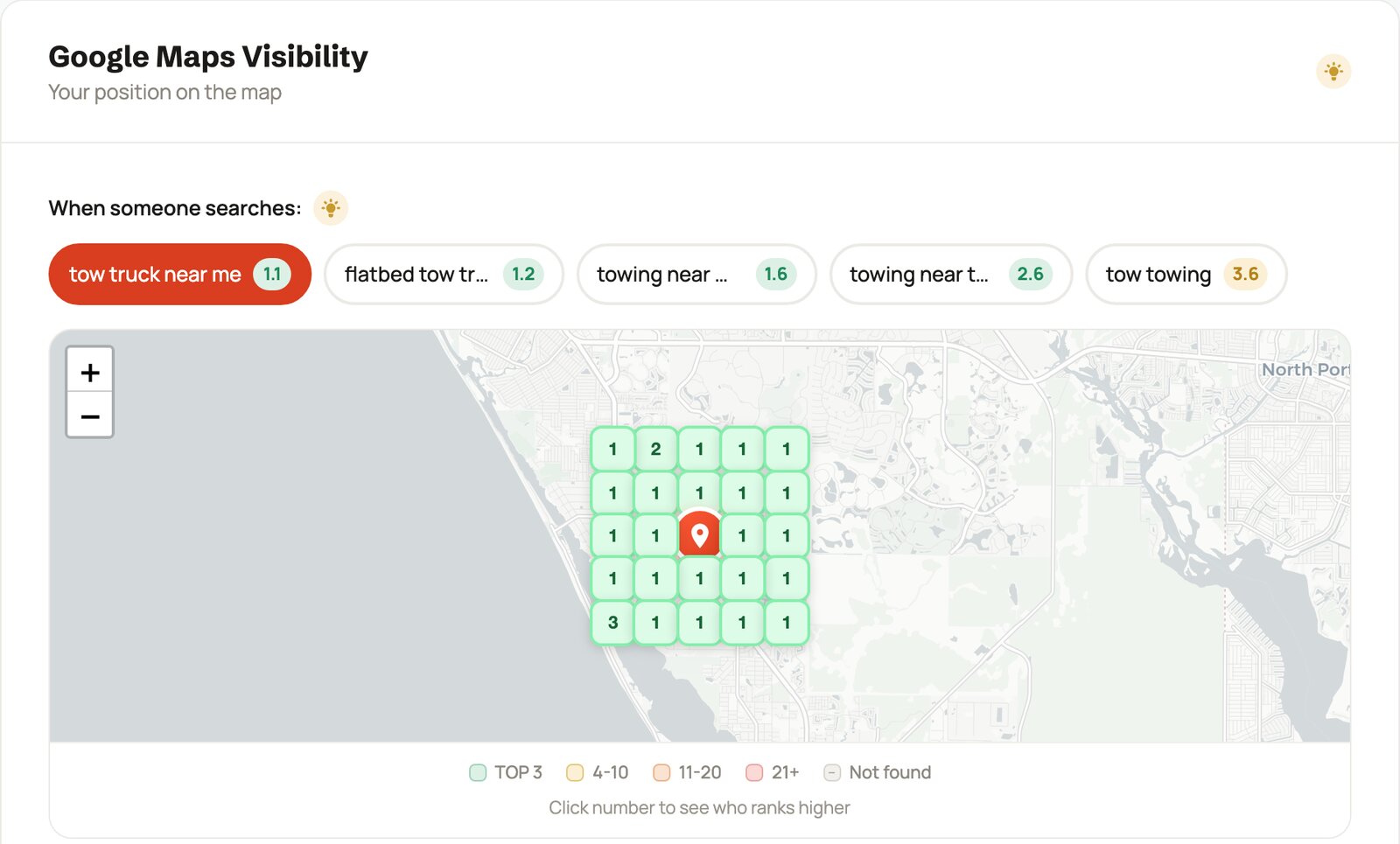
For plumbers specifically, track the searches with the most emergency intent first — plumber near
me, emergency plumber, 24 hour plumber + [your city] — alongside the
higher-consideration ones like water heater repair and drain cleaning, since
those pull in customers who are researching rather than mid-emergency. RateGather's dashboard runs this as
a daily grid check, with 2 reports a month on Free and 30 a month plus competitor monitoring on Autopilot,
so you can see exactly where a competitor outranks you and by how much.
Plumbing demand also isn't flat across the year, and your keyword mix should shift with it: frozen and
burst pipes spike searches in winter, sump pump and flooding queries pick up in spring storms, and AC
condensate drain and outdoor spigot issues climb in summer. Tracking the same two or three "money"
keywords all year misses the seasonal ones that are converting right now. Competitor monitoring on
Autopilot pairs with this well — if a competitor jumps ahead of you on emergency plumber right
as a cold snap hits, that's the moment to know about it, not next quarter.
Check your plumbing business's ranking, free
Run a real 9-point grid check for any keyword and location, no signup or credit card required — see exactly where you rank around your own shop right now.
Step 4
Create Content That Answers the Emergency Questions
The questions people search — and increasingly ask an AI assistant — at 2am with a burst pipe are specific: what to do before the plumber arrives, why the water heater has no hot water, what a clogged main line means. Content that answers those directly is what shows up for them.
This isn't about generic "why choose us" pages. A profile and a site that keep publishing — Google Business Profile updates plus a handful of articles a month, tuned to your specific services and area — read as active; one frozen since last year reads as abandoned, to both a customer scanning results and to an AI assistant weighing which business to recommend. Framed honestly: this makes you more likely to show up in Google and AI recommendations for the questions your customers are actually asking — it's not a ranking guarantee, and nobody who tells you otherwise is being straight with you.
A handful of topics cover most of what people actually search for in the moment, and they double as genuinely useful Google Posts or short blog articles:
- "What to do before the plumber arrives" for a burst pipe — shutting off the main, moving valuables.
- Why there's no hot water, and which causes need a same-day fix versus a scheduled repair.
- What a clogged main line usually means, and the difference between it and a single slow drain.
- A sewer smell in the house — common causes, and which ones are urgent.
- Low water pressure across the whole house versus one fixture — different root causes, different fixes.
- Seasonal maintenance: pipe insulation before a cold snap, sump pump checks before spring storms.
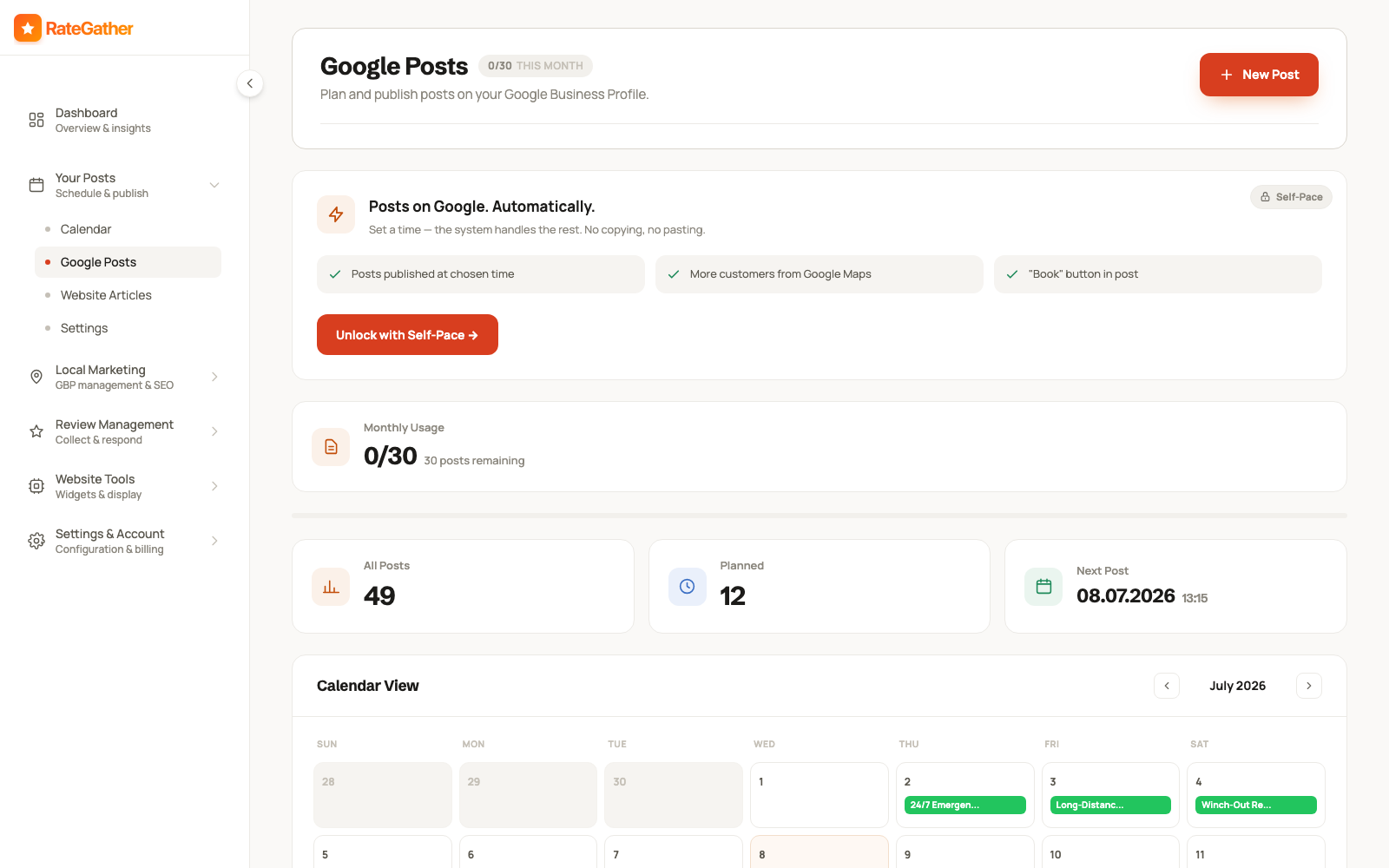
Pair Google Posts with a matching item on your site's content calendar, so the same topic reinforces your profile and your website at once instead of living in only one place.
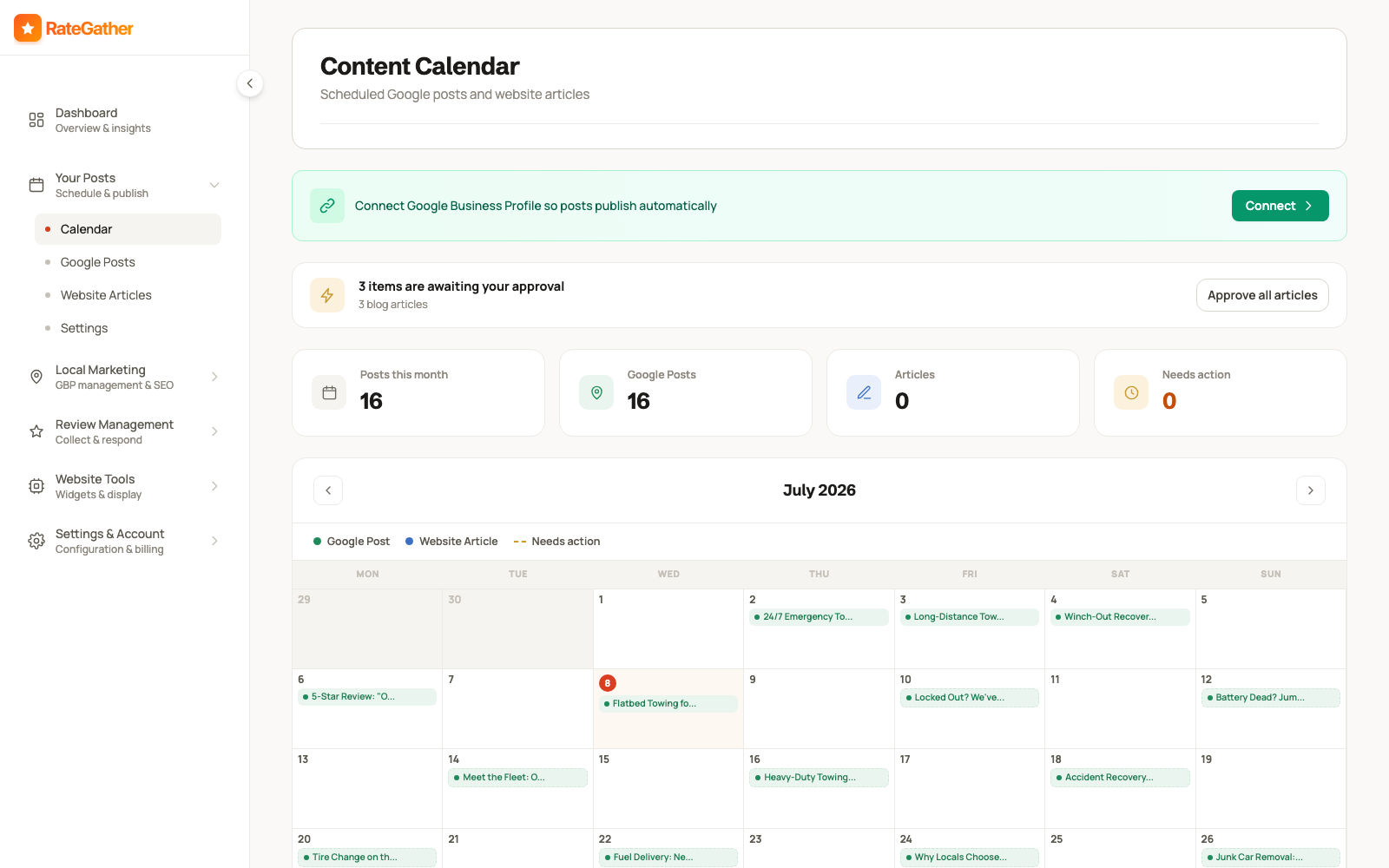
RateGather's AI drafts Google Business posts and blog articles about plumbing topics — maintenance tips, common problems, service explanations — on a schedule you set, then you either approve each one or let it auto-publish. Free includes 1 AI Google post and 1 blog draft a month; Autopilot includes 30 posts and 6 articles a month, enough to keep a profile and a site both looking active without writing any of it yourself.
Step 5
Keep NAP and Listings Consistent
NAP is your Name, Address, and Phone number — and it needs to match exactly everywhere it appears: your Google Business Profile, your website, and any directory or citation site that lists you.
A mismatch is easy to create by accident — an old suite number left on one directory listing, "St." on your website but "Street" on your GBP, a phone number that changed after you got a new business line but only got updated in one place. Individually, small inconsistencies rarely tank a listing. In aggregate, they're a signal Google weighs when deciding how confident it is in your business's identity and location — worth a periodic manual check, not a set-and-forget task.
A reasonable list to check quarterly: your website's footer and contact page, your Google Business Profile, and the directories a plumber is most likely to already be listed on — Yelp, Angi, HomeAdvisor/Thumbtack profiles if you use either, Nextdoor, the Better Business Bureau, and your local chamber of commerce. Search your business name plus your city and see what else turns up; old listings from a previous address or a defunct phone line are common, and worth requesting a correction or removal on rather than leaving live with wrong information.
RateGather doesn't currently have a dedicated citation-scanning tool that checks every directory automatically — this step stays manual for now, and this section is written as general best practice rather than a product feature. If you're publishing structured data on your own website, matching that markup to the same NAP details makes it easier for search engines to confirm what's on your Google Business Profile against what's on your site — see RateGather's free local business schema generator to build valid LocalBusiness JSON-LD for your site in a few minutes, no signup required.
Putting it together
These Five Steps Aren't a Checklist You Finish Once
Do all five once and you'll see a short-term bump. The businesses that keep winning emergency searches treat them as a loop, not a project.
A Google Business Profile you set up correctly in January and never touch again slowly reads as less active by summer. Reviews you stopped actively asking for in the spring taper off by fall, right as seasonal demand shifts. Content published once and forgotten stops answering the questions people are currently searching. The plumbers who consistently show up first aren't the ones who did local SEO for a month — they're the ones who kept the GBP current, kept asking for reviews on every job, kept an eye on the grid, and kept publishing, on an ongoing rhythm measured in weeks, not a one-time setup measured in hours.
That's the entire reason RateGather exists as software instead of a one-time audit: the free tools above (review link generator, rank checker, schema generator) work fine as one-off, manual checks — the app automates the repeating part of the loop so it keeps running without you having to remember it every week.
What it costs
What This Costs
No hidden retainer, no setup fee — the exact figures a plumbing business sees on RateGather.
Free — $0/mo
Autopilot — $79/mo ($63/mo yearly)
See the full feature-by-feature breakdown for a plumbing business on /industries/plumber, or compare against the wider local SEO category on pricing.
Straight answers
Frequently asked questions
Honestly, months rather than days, and it depends on how competitive your market is and where you're starting from. Nobody can responsibly promise a fixed timeline or a specific ranking position — the honest version is to watch your grid rank tracker move over weeks and months and judge from the trend, not a date on a calendar.
There's no official cutoff, but the pattern is consistent: plumbers with 40+ reviews get significantly more calls than ones with a handful. Treat 40 as a milestone worth building toward, not a finish line — review count and recency both keep mattering after you cross it.
A text with your direct review link, or a QR code on the invoice, sent the same visit while the relief of a fixed pipe is still fresh. Waiting until the next day, or telling a customer to "search us on Google," adds friction that loses most of the ask. See RateGather's free review link generator to build yours.
Google Business Profile is the highest-leverage single asset for emergency, near-me searches — it's usually what a customer sees first, before a website ever gets a click. A website still matters for trust once they're considering you seriously, and it's where local content and service pages live. Neither replaces the other.
It helps you show up for the specific questions customers, and increasingly AI assistants, ask about plumbing problems — not a guaranteed ranking boost. A profile and site that keep publishing read as active; ones frozen for a year read as abandoned. Treat AI content as a way to be present for those questions, not a shortcut around the rest of this guide.
Free at $0/mo: 1 ranking report, 1 AI Google post, 5 AI review replies a month, QR codes, and a review widget. Autopilot at $79/mo ($63/mo billed yearly): 30 ranking reports, competitor monitoring, daily review checks, 30 AI Google posts, and 6 blog articles a month. No credit card required to start on Free.
Yes. Sending the review link only to customers you already know were happy, or routing unhappy ones to a private email instead of the public review form, is called review gating, and it's explicitly against Google's own review policy. Ask every customer, every time, and let the review land where it lands — see 16 ways to get more Google reviews for the full, policy-safe playbook.
This page is the how-to: the five-step framework, in order, with the reasoning behind each step. /industries/plumber is the shorter product page — what RateGather specifically does for a plumbing business, and what it costs. Read this one first if you want the playbook; go there if you already know you want the software.
This guide is the playbook. For the wider category beyond plumbing, see local SEO services; for the plumber-specific product page with the full feature list, see /industries/plumber.
Start showing up for the calls that matter.
Free plan available, no credit card required.
No contract. No ranking guarantees. Cancel anytime.